KVKK Uyumlu PDKS

Cihazsız Bulut PDKS — İşyeri WiFi'ı ile Giriş-Çıkış, Sıfır Kurulum.

Cihaz yok, kablo yok, kurulum yok. Personeliniz işyeri WiFi'ına bağlıyken giriş-çıkış yapar; sahte konum imkansız. Vardiya, izin ve puantaj tek platformda. KVKK uyumlu.

Nasıl Çalışır?
KVKK Uyumlu
3 Platform · iOS, Android, Web
4.9★ Uygulama Puanı
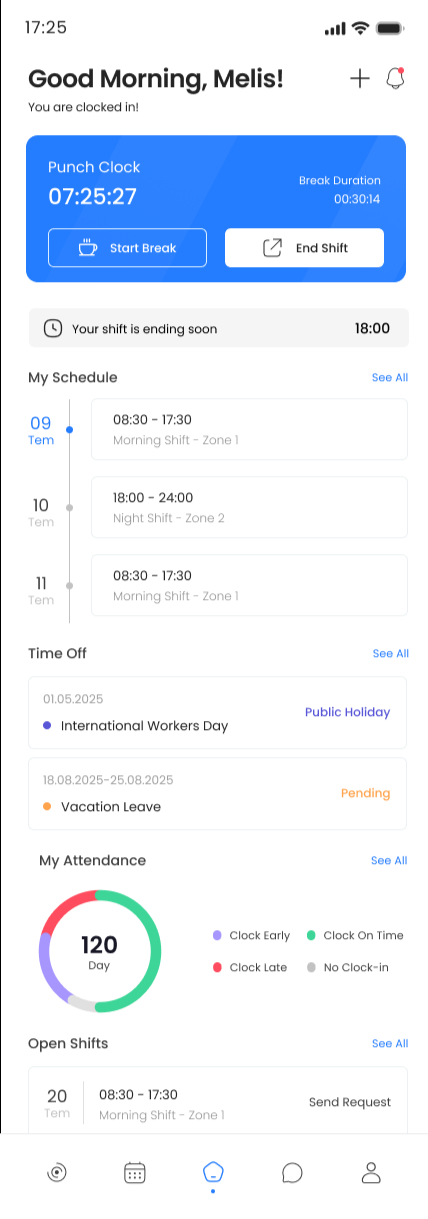
Attendia mobile employee app home dashboard
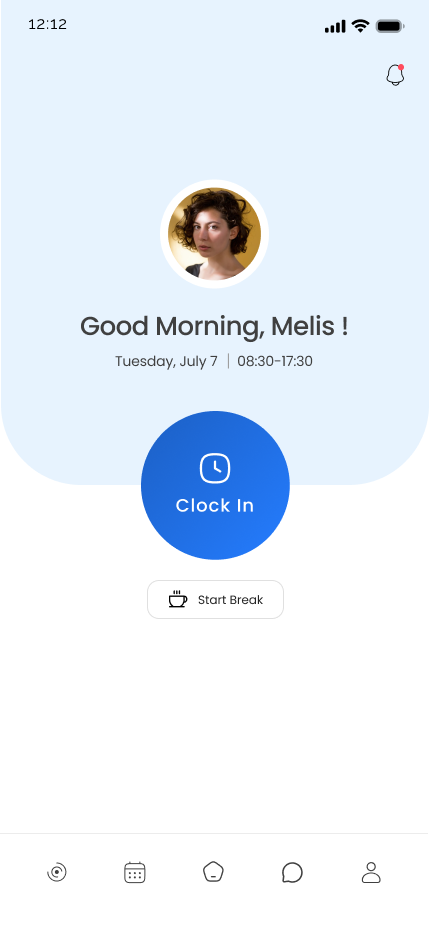
Attendia mobile employee app active shift screen
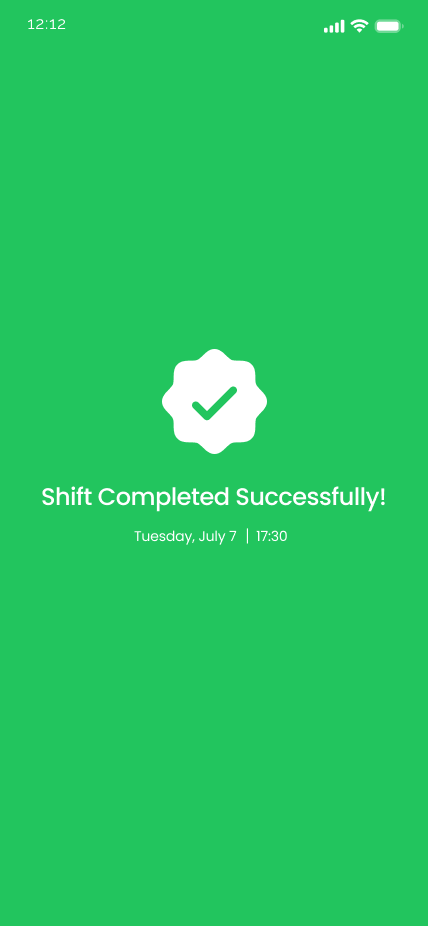
Shift Clocked In
Next: Mon 9:00 AM
40.5 hrs this week
Why Choose Attendia?

Built for employees, trusted by industry leaders

Donanım gerektirmez

Kart okuyucu, parmak izi cihazı veya biyometrik terminal satın almayın. Ekibinizin zaten kullandığı telefon ve işyeri WiFi'ı (veya ekrandaki dinamik QR) yeterli — kurulum saatler değil dakikalar.

Veri güvenliğini ciddiye alıyoruz

KVKK uyumlu altyapı, Türkiye'de barınan veriler, şifreli iletişim ve sunucu tarafında zaman damgası — İK ve BT ekiplerinin güvenle benimseyebileceği bir altyapı.

Detailed Analytics

View timesheets, attendance reports, and work patterns with comprehensive insights.

HR Integration

Seamless HR communication for leave requests, approvals, and instant notifications.

24/7 Support

Dedicated support team ready to help you anytime with any questions or concerns.

Role-Based Access

Per-module permissions on every job title — managers see only their team's shifts, leave and locations, while HR sees the whole organization.

Payroll-Ready Exports

Daily, weekly and monthly attendance, overtime and leave reports export to PDF — clean data your payroll team can drop straight in.

Powerful Features for Every Employee

Everything you need to manage your work day efficiently

Wi-Fi & Dynamic QR Clock-In

Clock in over the workplace Wi-Fi (pinned to your router) or scan a one-time QR that refreshes every 30 seconds — no buddy punching, no fake locations.

  • Wi-Fi network pinning (BSSID)
  • Rotating 30-second QR codes
  • GPS geofence & server timestamps

Smart Shift Management

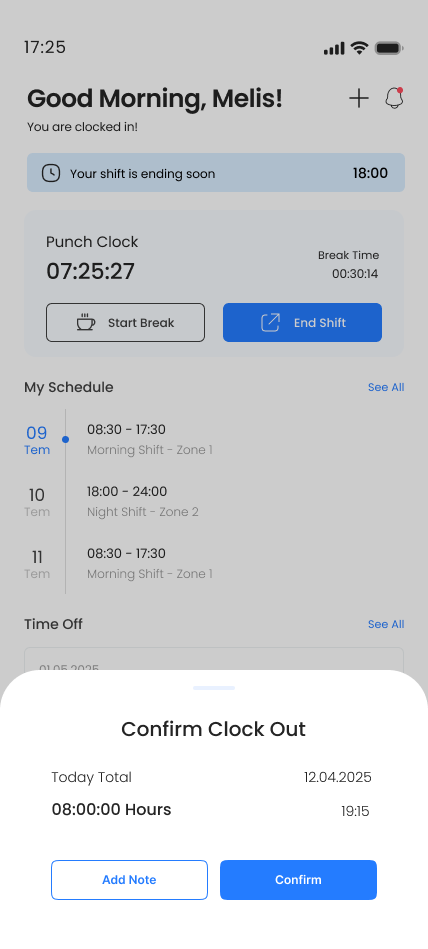
One-tap clock in/out with automatic break tracking and a real-time timer that follows your shift to the second.

  • Instant clock actions
  • Break management
  • Live shift timer

Schedule & Calendar

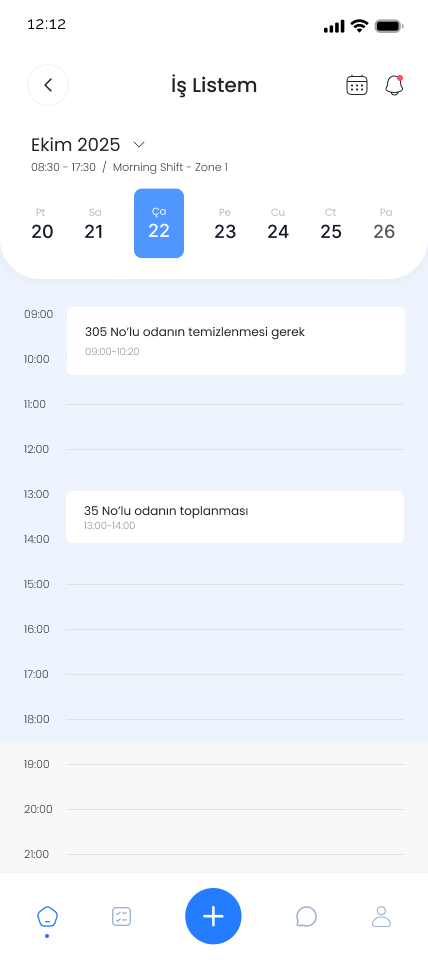
Browse your upcoming shifts day by day with a date picker and a focused per-day view of your assignments.

  • Day-by-day view
  • Date picker navigation
  • Push notifications

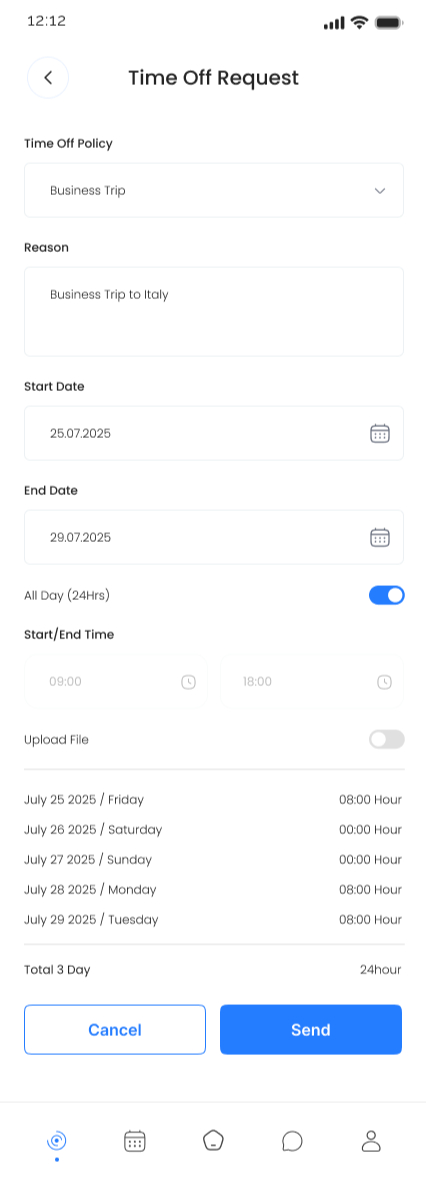
Leave Requests

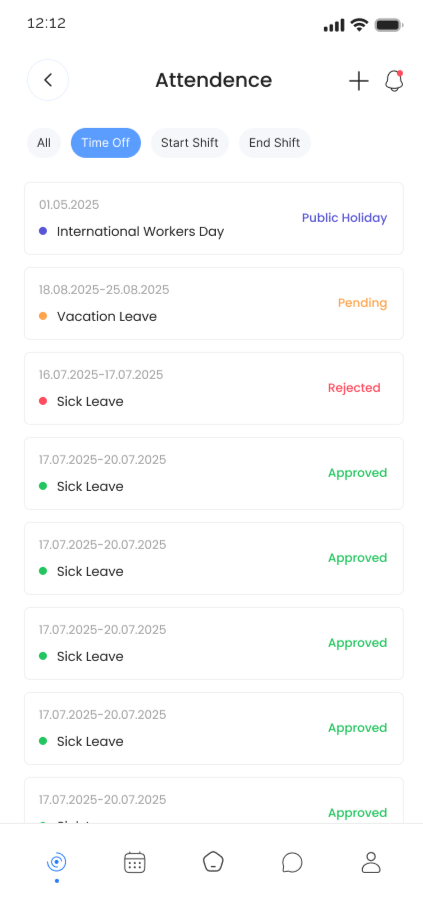
Submit time-off in seconds — choose a policy, pick dates, and your live balance updates automatically.

  • Auto-calculated balance
  • Multiple leave types
  • Real-time status

Overtime Offers

Receive overtime continuation prompts when your shift ends and accept or decline with a single tap, right inside the app.

  • Real-time push offers
  • Accept or decline in app
  • Auto overtime tracking

Reports & Timesheets

Daily, weekly and monthly attendance reports with PDF export ready to share with payroll.

  • PDF export & share
  • Late / absence breakdown
  • Overtime summary

Smart Notifications

Categorized push notifications and an in-app inbox for shift reminders, approvals and announcements.

  • Push & in-app inbox
  • Type-based filtering
  • Read / unread tracking

Attendance Tracking

Complete attendance logs with hours worked, late arrivals and early exits for every shift.

  • Full shift history
  • Late tracking
  • Early exit tracking

Profile & Account

Manage personal info, change your password, upload a photo and switch between Turkish and English at any time.

  • Photo upload
  • Password & security
  • TR / EN languages

Bilingual Experience

The full app is available in Turkish and English with instant language switching from settings.

  • Turkish (TR)
  • English (EN)
  • Live switching

Secure & Reliable

Secure sign-in, encrypted communication and server-side timestamps you can trust.

  • Encrypted by design
  • Tamper-proof time
  • KVKK-compliant infrastructure

QR Scanner Flow

A guided in-app scanner reads the rotating workplace QR — valid for 30 seconds only — verifies it server-side and starts your shift in under three seconds.

  • One-tap camera launch
  • One-time codes — screenshots useless
  • Wrong-location warnings

Daily Shift Detail

Pick any day from the date picker to see that day's shift events, start times and shift notes — a focused per-day view inside the app.

  • Per-day breakdown
  • Shift notes
  • Date picker navigation

Mobile Timesheet Export

Generate your own PDF timesheet right from the report screen — pick previous month, current month or a custom range, then share it with HR or payroll.

  • One-tap PDF export
  • Month or custom range
  • Native share sheet

Built for Managers & HR Too

A complete management layer to oversee teams, approve requests and act on real-time data

Live Team Dashboard

Live counts of late, absent, early-exit and on-leave staff across your team — plus pending leave requests ready for fast approval.

One-Tap Approvals

Approve or reject leave requests directly from the dashboard widget, and review overtime decisions on mobile with notes.

Weekly Team Schedule

Plan and review the full team's weekly shifts in a single consolidated view.

Staff Directory

Browse the company directory by department with full employee profiles and attendance history.

Daily Activity Feed

A live log of every check-in, check-out and request — perfect for HR audits.

Payroll-Ready Reports

Export attendance, overtime and leave reports as PDF — ready for payroll, audit and compliance.

Web Admin Panel

The full HR command center, on the web

Beyond the mobile manager view, Attendia ships with a browser-based admin panel for HR — multi-store setup, shift planning grids, leave policies, organization charts and payroll-ready Puantaj exports.

Visual Shift Planning Grid

Plan the entire team's day on a single grid — click-to-assign shifts across staff, with undo on removals and leave-conflict warnings built in.

Multi-Store Super Admin

Run multiple stores, brands or franchises from a single super-admin account — perfect for hotel groups and corporate chains.

Office Hierarchy & Departments

Build departments and a hierarchy that powers staff filters across the dashboard.

Leave Policies & Holidays

Configure auto-accrual, half-day, hourly leave, carry-over and approval requirements per policy — plus a company holiday list.

Puantaj & Payroll Reports

Detailed Turkish-payroll-ready timesheets per employee with worked hours, breaks, overtime, late and leave breakdowns — exportable in one click.

Targeted Push Notifications

Compose and schedule push notifications for any subset of staff — with mobile deep-links, full delivery audit and per-user read receipts.

See Attendia in Action

Explore the intuitive interface and powerful features

What Our Users Say

Real feedback from real users who love Attendia

"Attendia makes managing my shifts incredibly simple. The one-tap clock in and detailed reports have transformed how I track my work hours."

A
Ahmet Yıldız Retail Manager

"The offline functionality is a game-changer. I can clock in even without internet, and everything syncs perfectly when I'm back online."

S
Selim Kaya Field Service Worker

"The HR integration is excellent. Requesting time off is now instant and I get immediate feedback. Highly recommended for all employees!"

E
Emine Demir Corporate Employee
Notifications

Every shift event in one in-app inbox

Attendia ships an in-app notification inbox backed by real push notifications. Shift reminders, leave decisions and overtime offers all land in one place — categorized, with read / unread tracking.

  • Categorized in-app inbox
  • Read / unread tracking
  • Push alerts for shifts, approvals and overtime
  • Filter by notification type
Shift starts in 30 min Tap to view details
Leave approved 3 days · Annual leave
Overtime offer Continue 1h after shift

Sürpriz yok. Personel başına net fiyat.

Cihaz yok, kurulum maliyeti yok, gizli ücret yok. KVKK uyumlu personel takibi, personel başına tek fiyat.

Aylık

38,99 TL

personel / ay

İstediğiniz zaman iptal edin.

Kurumsal

500+ çalışan

özel fiyatlandırma

Kurumunuza özel teklif hazırlayalım.

Ekibinizin giriş-çıkışını modernize edin

Devam, vardiya, izin ve fazla mesaiyi tek bir akışta toplayın — Türkiye'deki İK ekipleri için tasarlandı.

Frequently Asked Questions

Everything you need to know about Attendia

Is Attendia available for iOS and Android?

Yes! Attendia is available on both Apple App Store and Google Play Store. Download on any device to start managing your shifts today.

Can I use Attendia without internet connection?

Attendia needs an active internet connection to clock in, sync data and notify your manager in real-time. If connectivity drops mid-shift, the app keeps your shift state locally and re-syncs as soon as you're back online.

How accurate is the time tracking?

Our time tracking is precise to the second using server-side timestamps. This ensures complete accuracy and prevents any discrepancies in your work hours.

Is my data secure?

Yes. We use some advanced encryption standards to protect all your data. Your personal information is never shared with third parties and is securely stored on our servers.

How do I request leave through the app?

Navigate to Leave Requests, select your dates, add a reason if needed, and submit. Your HR manager receives it instantly and can approve or reject right away.

What if I forget to clock out?

Your shift will automatically end when your shift time ends.

Is customer support available?

Yes! We offer 24/7 customer support. Contact your company HR directly, or reach our team at [email protected].

How does Attendia prevent buddy punching and fake clock-ins?

Three layers. The workplace QR is dynamic — it refreshes every 30 seconds, so a photographed code is useless moments later. Wi-Fi clock-in can be pinned to your router's physical address (BSSID), so even a copied network name won't work from elsewhere. And GPS geofencing double-checks the location. No one can clock in for a colleague from off-site.

How are managers and HR notified of requests?

Every leave request and overtime offer generates an instant push notification and an entry in the in-app inbox. Pending leave requests also surface in a dashboard widget where HR can approve or reject in one click.

Can I export reports for payroll?

Yes. Daily, weekly and monthly attendance reports — with worked hours, breaks, overtime, late arrivals and leave days — can be exported as PDF and shared straight to payroll.

Is Attendia available in Turkish?

Yes. The full app is available in both Turkish and English, and employees can switch languages at any time from settings.

How do we get Attendia for our company?

Attendia is provisioned per company by our team. Contact us at [email protected] or +90 216 988 16 35 and we'll set up your workspace, import your staff and walk your HR team through the admin panel.

What happens if I lose connection during my shift?

A clear offline banner appears so you know data isn't syncing. As soon as your connection returns, Attendia automatically refreshes your shift and attendance data — you don't need to do anything.

Can different managers see different teams?

Yes. Each job title in Attendia has per-module permissions (locations, staff, shifts, leave, time management, hierarchy, QR). Department managers see only their team's data, HR sees the whole organization, and super-admins can manage multiple stores from one account.

Wifispot References

Ready to Transform Your Work Day?

Download Attendia now and join thousands of satisfied employees